OpenID from your Launchpad profile
As of today, you can use your Launchpad identity to log into any website that supports OpenID. Now, you need remember only your Launchpad username and password for thousands of websites.
Here’s how it works:
- You visit a website that’s an OpenID receiver and it asks you to log in.
- You give that website your Launchpad profile’s URL - e.g. https://launchpad.net/~fred-bloggs
- Launchpad asks you to confirm that you want to log in to the other website.
- Once you’ve confirmed, you’re logged into the website and can use it just like normal.
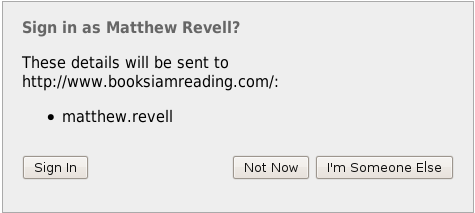
That works both for sites that support OpenID 2.0 and 1.1. If you ever need your explicit OpenID URL, that’s no problem: you’ll find it on your profile page just below your contact details.
There’s one thing to bear in mind: once you start using your Launchpad profile to log into OpenID sites you shouldn’t rename your Launchpad account. That’s not to say you can’t change the display name but rather the system name that appears in your Launchpad URLs. In my case, the system name is matthew.revell.
Want to get started and not sure where to find sites that support OpenID? Take a look at the OpenID site’s Where page. There’s more on our OpenID help page.